
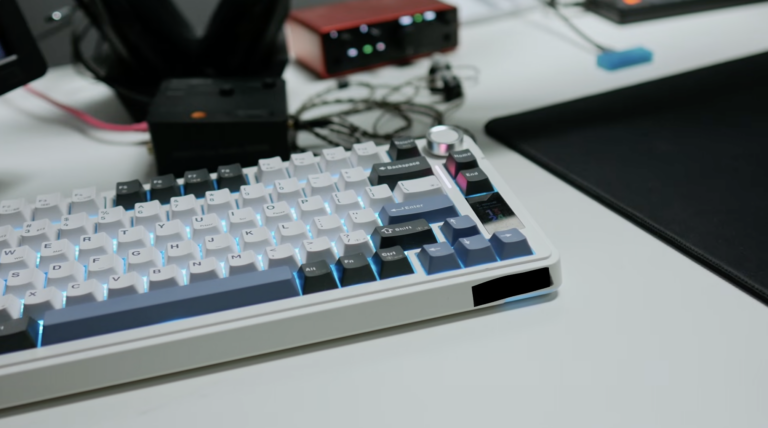

For over a decade, traditional mechanical keyboards were regarded as the absolute pinnacle of gaming peripherals. Cherry MX, Gateron and Kailh switches differed in actuation force, click feel or housing colour, but their operating principle remained the same: physical contact between two metal plates sent a signal to the computer.
Everything changed with the arrival of magnetic switches based on the Hall effect and Rapid Trigger technology. In games such as Counter-Strike 2, Valorant, Osu! and Fortnite, magnetic keyboards have become the new tournament standard.
Is this a revolution in character movement control, or just another expensive gadget that will put a strain on your wallet and… your computer’s processor? Below, we explain how the Hall effect works, why high-speed peripherals can cause micro-stuttering without system optimisation, and how SmoothWizard safeguards this process.
What is Rapid Trigger and how does a magnetic switch work?
A traditional mechanical switch has a fixed activation point (e.g. at a depth of 2.0 mm) and a fixed reset point (usually around 1.8 mm). This means that after pressing a key, you must lift your finger by a specific distance for the key to ‘bounce’ and register the next click.
Magnetic switches have no mechanical contacts. A magnet is housed inside the stem, and the printed circuit board (PCB) features a Hall sensor which measures the strength of the magnetic field in real time with an accuracy of 0.1 mm.
This enables the Rapid Trigger function to operate dynamically:
Instant activation: The key registers downward movement the moment it is pressed by just a fraction of a millimetre (e.g. 0.2 mm).
Instant reset: Simply lift your finger by a minimal distance (e.g. 0.1 mm), and the key resets to the zero state in a fraction of a millisecond – without needing to return to the starting position.
Tradycyjny mechanik:
[ Wciśnięcie ] ──> Musi minąć 2.0 mm (Aktywacja) ──> Musi wrócić do 1.8 mm (Reset)

Magnetyczny Rapid Trigger:
[ Ruch w dół o 0.1 mm = Strzał/Ruch ] ──> [ Ruch w górę o 0.1 mm = Natychmiastowy STOP
The edge in gaming: Why has the esports world fallen in love with magnets?
The greatest impact of Rapid Trigger technology is evident in games with precise movement mechanics (such as ‘counter-strafing’ in CS2 or Valorant):
Instant character stop: To fire a shot with perfect accuracy, your character must come to a complete halt after running sideways. A traditional keyboard forces you to manually counter-press the opposite key and wait for the physical return of the switch. With Rapid Trigger, releasing the key stops your character almost instantly.
Strafe-shooting and jiggle peek: Peeking out from behind a wall and immediately ducking back becomes smooth, repeatable and free from mechanical delay.
Customisable activation point: You can set the space bar (jump) to 0.5 mm and special ability keys to 3.0 mm to avoid accidental presses in the heat of battle.
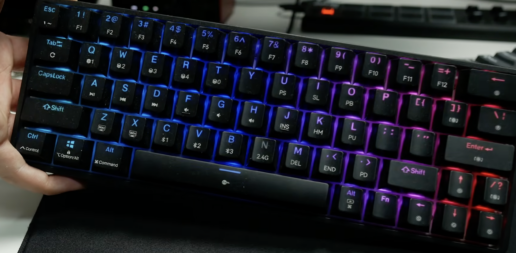
A comparison of keyboard technologies
| Feature | Membrane keyboard | Classic mechanical | Magnetic keyboard (Hall Effect) |
| Signal detection | Rubber dome | Metal plates | Contactless magnetic field sensor |
| Activation point | At the very bottom | Fixed (1.5 mm – 2.2 mm) | Continuously adjustable (0.1 mm – 4.0 mm) |
| Reset point | Requires full travel | Rigid (often over 1.5 mm) | Dynamic (Rapid Trigger from 0.1 mm) |
| Switch service life | Low (rubber wears out) | Medium (oxidation of contacts) | Extremely high (no contact friction) |
| Overhead on processor and USB | Minimal | Low | Higher (polling rate up to 8000 Hz) |
The other side of the coin: Software and CPU load
Although magnetic keyboards are far superior to older solutions in terms of hardware, their use poses two significant risks to your computer’s stability:
1. Overloaded background applications
Most magnetic keyboards require dedicated software to configure sensitivity curves and backlight profiles. These applications often run continuously in the background, consuming RAM, launching several auxiliary processes and generating unnecessary system load.
2. 8000 Hz polling rate versus CPU interrupts
Modern keyboards offer a polling rate of 8,000 Hz (0.125 ms). This means that the keyboard sends 8,000 reports per second to the processor. When combined with a 4,000 Hz or 8,000 Hz mouse, the USB bus floods the processor with a massive wave of hardware interrupts (DPC/ISR Interrupts).
If Windows is cluttered and background processes are freely hopping between cores, these thousands of hardware interrupts can hit the very same processor thread that is running the game engine. The result? The keyboard responds instantly, but the game starts to drop frames and stutter.
How does SmoothWizard safeguard performance with high-speed peripherals?
For high keyboard polling rates and Rapid Trigger technology to provide a real advantage in rankings, the processor must process input data without any delays. This is where SmoothWizard helps:
CPU core control (CPU Affinity): SmoothWizard isolates the game process on the fastest physical cores (P-cores) and moves the game off CPU thread 0. As a result, the flood of USB hardware interrupts and keyboard driver events is processed on auxiliary threads and does not interfere with the game’s rendering loop.
Dynamic Kernel Timer optimisation in the PRO version: The programme synchronises the system kernel clock with gameplay, reducing system queue delays. This ensures that every keystroke is registered instantly, with accuracy down to fractions of a millisecond.
Suspend List: You can add resource-intensive applications that control peripheral backlighting to the suspend list. During gameplay, these will be put to sleep (0% CPU and GPU usage), freeing up full power for the game engine.
Smart RAM management: Frees up unnecessary memory buffers, ensuring that the game maintains a constant, stable 1% Low FPS rate.
FAQ – Frequently Asked Questions
Will a keyboard with Rapid Trigger make me a better player straight away?
Rapid Trigger eliminates hardware latency when stopping and changing your character’s direction, making precise shooting easier. However, it takes a little getting used to, as the keys respond even to the slightest touch of a finger.
Does the keyboard software need to be running in the background for Rapid Trigger to work?
In most good magnetic keyboard models, sensitivity settings are saved directly to the on-board memory. Once you’ve configured your profile, you can close the manufacturer’s app, which helps to conserve system resources.
Why did the game start dropping frames after connecting the 8000 Hz keyboard?
An 8000 Hz sampling rate generates a huge number of hardware interrupts for the processor. On a default Windows installation, this overloads the main logical thread. Enabling CPU Affinity in SmoothWizard resolves this issue.
