

Many gamers and Windows users are looking for ways to get rid of sudden frame drops, reduce input lag and strip the operating system of unnecessary bloat. For years, the standard approach was to download scripts of dubious origin .bat or manually editing the registry, which often resulted in system crashes.
The SmoothWizard application has been under continuous development for three years. From a simple debloating tool, it has evolved into a comprehensive optimisation suite with its own configuration engine, CPU core management profile, advanced RAM control and a native mobile app.
Below, we present a detailed overview of all the programme’s key modules, how they work, and the features of the PRO version.
1. Cockpit and quick-response tools (Home)
The main screen (Cockpit) contains a set of tools for immediate system maintenance:
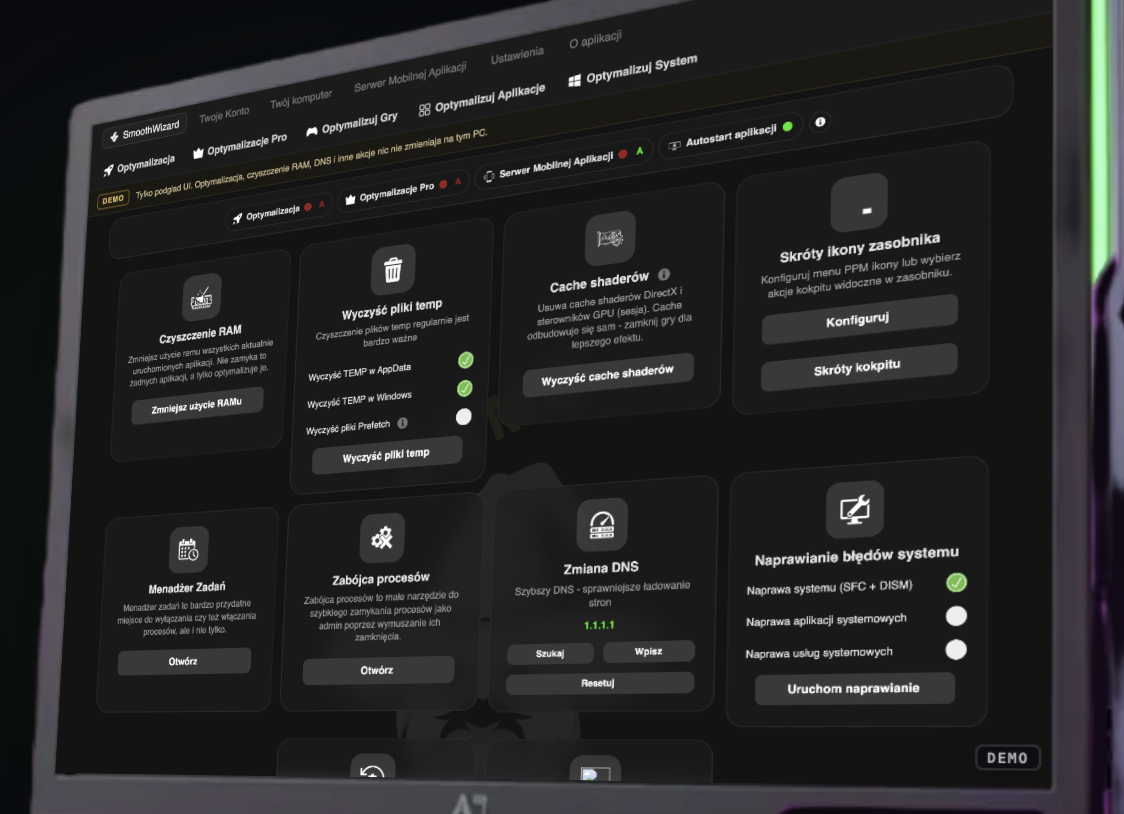
RAM cleaning using the Swapfile method: Rather than aggressively closing active applications, SmoothWizard employs an approach similar to the swapfile mechanism found in Unix-based environments. Unnecessary, inactive data in main memory is safely transferred to the hard drive, freeing up clean RAM space for the game currently running.
Removing temporary files (Temp and Prefetch): Clears the Windows temporary folders and AppData, with the option to selectively clear the Prefetch queue.
Shader Cache Clean-up (NVIDIA, AMD, Intel, DirectX, Vulkan): Over time, games and driver compilers accumulate gigabytes of compiled shaders. A corrupted or overfilled shader cache is a common cause of visual artefacts and stuttering. This module allows you to reset the buffers with a single click.
Process Killer: A tool for instantly closing unresponsive or resource-hungry background applications without having to wait for the system Task Manager to respond.
DNS Scanner and Optimiser: This tool automatically tests the response times of popular DNS servers and configures the fastest address, reducing the time taken to resolve network domains.
System error repair and context menus: A built-in module for verifying the integrity of Windows files, and a toggle to restore the classic right-click menu from Windows 10 in the new Windows 11.
2. Advanced start-up automation (Group shortcuts and zones)
One of the unique new features is the ‘Tray Shortcuts’ function. It allows you to create profiles for launching groups of programmes with precise window positioning on monitors (known as ‘Zones’):
Example of use in esports: With a single click, you can launch a game (Counter-Strike 2), an anti-cheat client (FACEIT) and a dedicated training website in your browser simultaneously.
Window positioning: The application automatically arranges the selected windows on a specific monitor (e.g. on the top or secondary screen within a defined zone), eliminating the need to manually drag tabs before every match.
3. Hardware diagnostics and mobile app
The hardware tab offers in-depth insight into the computer’s architecture, eliminating the need to install external diagnostic programmes:
Precise RAM parameter readings: Displays detailed memory module timings, frequencies, voltages and the status of AMD EXPO and Intel XMP profiles.
Sensor pre-loading: A safe mechanism for pre-querying the motherboard and graphics card sensors prevents micro-freezes when reading temperatures during gameplay.
Mobile application server (Smart Home for PC): A free feature allowing you to connect your smartphone to your computer via a local network. From your phone, you can view temperatures and clock speeds in real time, switch between optimisation profiles, disable background processes, and even remotely log out or shut down your computer.
4. Basic Optimisation: The foundation of stable FPS
The basic module configures the operating environment for smooth performance and should remain enabled on every system:
RAM Compression Management: With 16 GB of RAM or more, this feature disables system-level memory compression, which reduces delays in the CPU’s access to data. For machines with 8 GB of RAM or less, compression remains active to prevent bottlenecks.
Flip Model Presentation (Legacy Flip Mode): Forces the optimal frame presentation mode in the Desktop Window Manager (DWM). Unlike the default modes promoted by Windows, Legacy Flip mode offers the lowest frame queuing overhead, ensuring the highest and most stable 1% Low FPS rate.
Power plan customisation: Intelligent power management optimised for Intel or AMD processors to prevent unwanted core sleep.
5. SmoothWizard PRO engine: Precise real-time control
For demanding gamers, the PRO module provides automated tools that operate dynamically during gameplay:
| The PRO function | How does it work in practice? | In-game benefit |
| Core control (CPU Affinity) | Assigns the game process to high-performance physical cores, excluding CPU thread 0 by default. | Eliminates stuttering caused by background tasks on the main thread. |
| Kernel Timer Management | Dynamically optimises the system kernel clock resolution exclusively for the duration of gameplay. | A flat frame time graph and an immediate return to the factory clock setting upon exiting the game. |
| Background Process Suspension | Puts blacklisted processes into a state of complete sleep (0% CPU, GPU, RAM and disk usage). | Frees up 100% of computing power for the active game window. |
| MMCSS Games profile | Forces the Windows multimedia scheduler to give high priority to the graphics card. | No drops in GPU clock speed during less demanding sections of the map. |
| Focus Assist & Priority Above Normal | Automatically boosts the game’s priority and mutes all system notifications. | No annoying window minimisations or stuttering during combat. |
Important note: The PRO module includes an exclusion feature for games with specific security measures (e.g. the option to bypass kernel clock adjustments for Valorant, which prevents conflicts with the Riot Vanguard system).
6. Automatic audit and intelligent Windows debloat
Previous versions of the programme were based on universal debloat scripts. The current version uses a proprietary engine tailored to specific hardware:
Scanning specifications before changes: The configurator analyses the exact CPU model, graphics card manufacturer (e.g. profiles for NVIDIA RTX / AMD Radeon) and memory configuration.
Recommendation packages tailored to the gamer’s profile: The user selects their profile (e.g. a player on tournament platforms such as FACEIT), and the programme automatically selects safe optimisation rules.
‘Restore after Windows update’ feature: One of the most frustrating issues is having changes to services reverted following major Windows Update updates. SmoothWizard detects a system update and automatically prompts you to reapply the optimisations after restarting the computer.
Mouse pointer calibration: A built-in tool to force raw mouse data reading (Raw Input 1:1) without system-level pointer acceleration.
7. Dedicated profiles for games and applications
Instead of applying a one-size-fits-all configuration to every title, SmoothWizard offers manually fine-tuned modules:
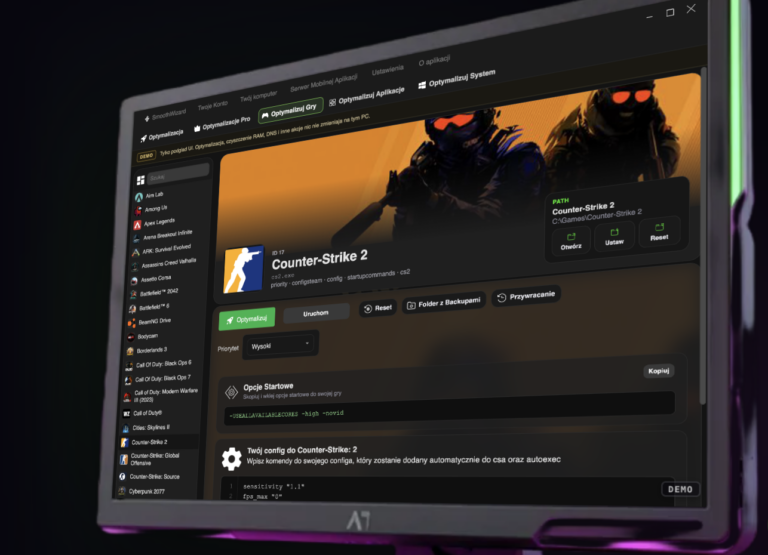
Counter-Strike 2: Automatic optimisation of configuration files, launch options and process priority.
Fortnite: Adjustment of the LOD Bias (Level of Detail) parameter and optimisation of texture resolution via the driver settings.
Minecraft: An integrated engine for managing mod packs and loaders for Java Virtual Machines.
FiveM / GTA V: Convenient installation of graphics mods, street packs and citizens directly from within the application.
NVIDIA Profile Inspector (NPI): Integrated optimisation of the NVIDIA Control Panel with ready-made presets offering low latency.
Frequently Asked Questions (FAQ)
Is it safe to use SmoothWizard optimisations on Windows?
Yes. All modifications in the system optimisation module are fully documented, and the programme allows you to create a Windows system restore point immediately before applying the changes.
How does SmoothWizard’s RAM cleaning differ from standard cleaning programmes?
Traditional programmes forcibly remove processes from memory, which causes the system to freeze when it needs to reload them immediately. SmoothWizard uses a safe method of flushing inactive memory pages to the hard drive (similar to the swap file mechanism), whilst keeping processes fully operational.
Does PRO optimisation work for games running in a window?
Yes. The programme has a dedicated list for detecting non-full-screen games, which monitors the active window in the foreground and applies priority rules even in windowed mode.
