
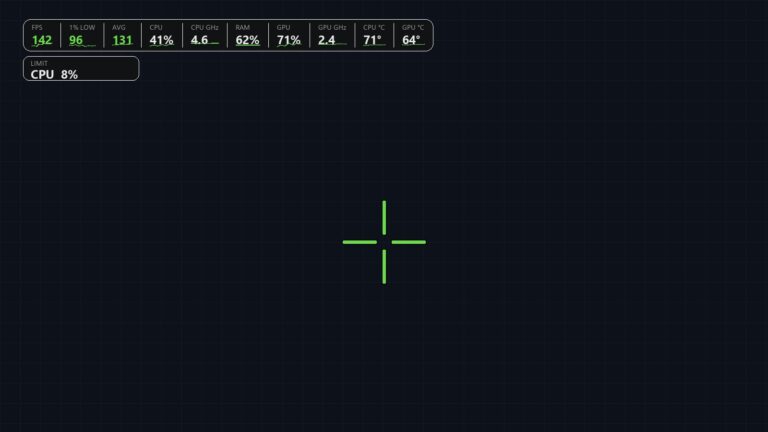

New PRO overlay: FPS, 1% lows, crosshair, and limit chip
Until now the SmoothWizard FPS counter was a number beside the session. The new options split that into two levels. Basic keeps the counter only, with no window over the game. PRO adds an overlay for the time you play: 1% lows, the average, PC meters, a crosshair, and a chip that points at what on this PC may be cutting frames.
The overlay is a separate system window. It does not change game files, it does not enter the game process, and it does not read game memory. Exclusive fullscreen hides that kind of window. Borderless mode keeps it visible.
Download SmoothWizard · What is in PRO
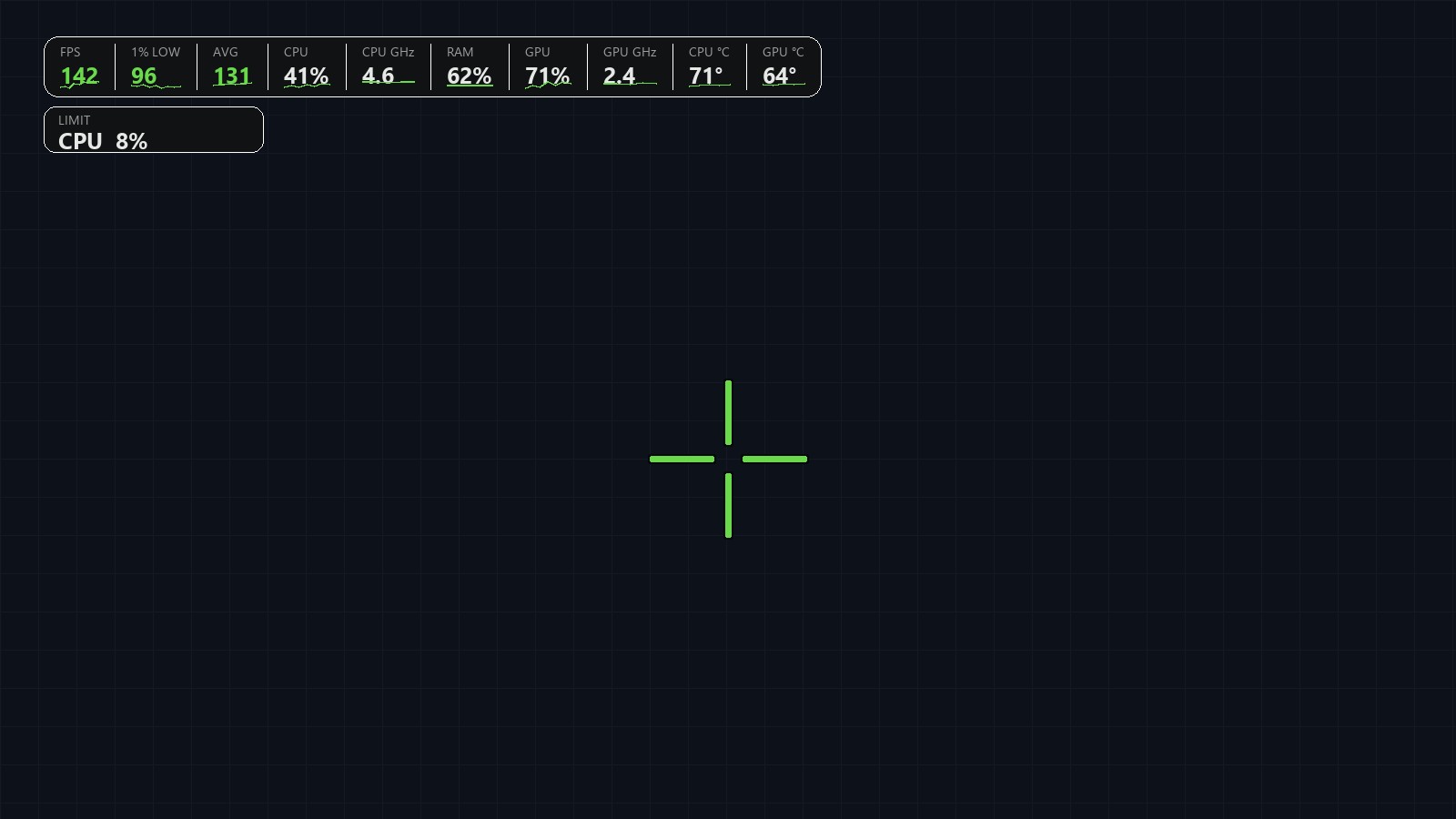
Basic counts. PRO shows the game from a separate window.
The download gives you Basic. You turn the counter on and play. It draws nothing in the center of the screen and it does not need the overlay. The PRO trial (7 days) opens the overlay. After the trial, the crosshair and the limit readout stay in PRO.
| Basic | PRO | |
|---|---|---|
| FPS counter | A number, no window over the game | On the overlay, with the rest of the bar |
| 1% low and average | No | Yes, next to FPS |
| CPU, RAM, GPU, clocks, temperatures | No | Yes, each row can be turned off |
| Limit chip | No | Names what on this PC may be limiting frames |
| Crosshair | No | A shape, your own drawing, or a PNG |
What sits on the bar
1% low is the pace of the slowest frames, not the average of the whole session. The average says how most of the time feels. 1% low says how the bottom feels. On the overlay they sit side by side, so you are not guessing from one counter.
Next are the PC meters: CPU and GPU load, clocks, RAM, and temperatures. You turn each row off on its own in the Performance tab. The counter can run live, or stay as a measurement in session history. The overlay does not replace the driver and it does not promise higher frame rates. It shows what is happening right now.
A crosshair that stays out of the game files
You set a custom crosshair once in SmoothWizard. It reaches the center of the screen only with the PRO overlay, as that same separate window. It stays in the overlay, not in the config of Fortnite, Valorant, CS2, Apex Legends, Warzone, or Minecraft.
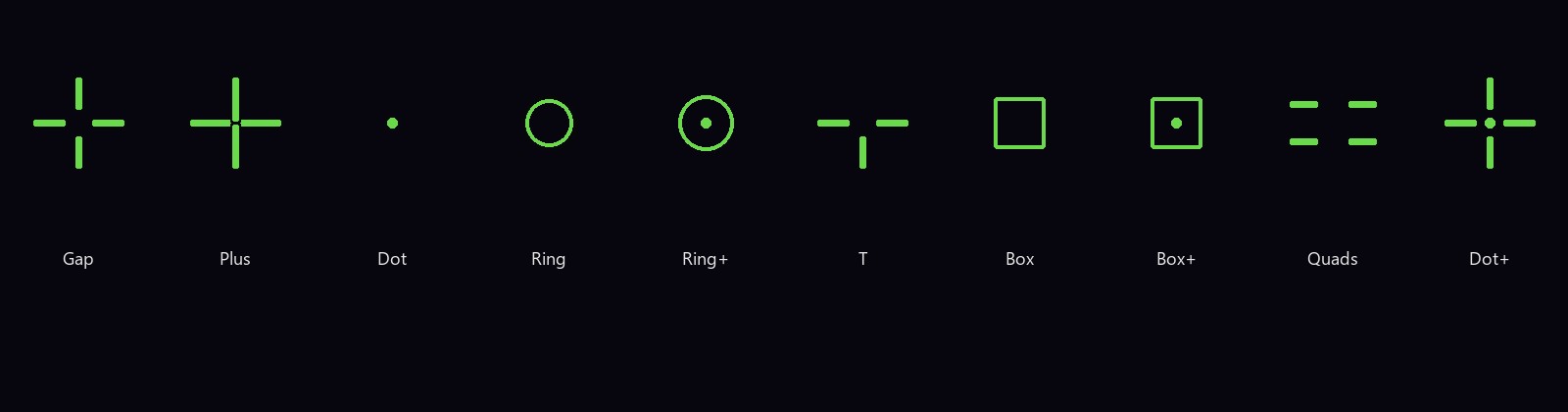
Ready-made shapes draw themselves: a cross with a gap, a plus, a dot, a circle, a circle with a dot, a T, a square, a square with a dot, quadrants, and a cross with a dot. You paint your own crosshair on a board. Your own PNG can be an image you prepared. Color, outline, shadow, size, and a code you can copy when you want the same look on a second PC are there too. The center of the screen stays the aim point.
The limit chip
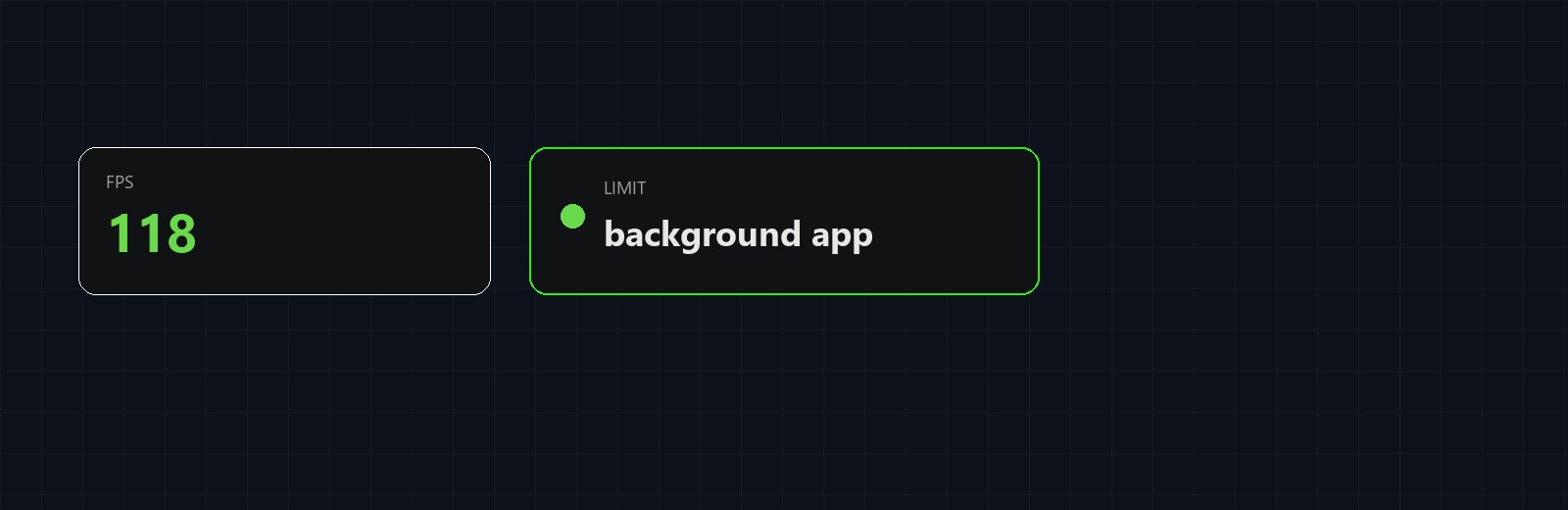
The chip is not a lecture about optimization. It names a candidate on this PC, for example a background app eating the processor. Then you decide what to close for the match, and you watch whether the counter recovers. It is a hint, not a verdict and not an FPS guarantee.
In the app the overlay is one tab, next to Cockpit and Tools. Inside are three cards. Performance holds the HUD and the meters. Crosshair holds shapes, the drawing, and PNG. Look holds the bar color, the screen corner, scale, and opacity. On a Basic license that tab shows the paywall. Trial and PRO open the settings.
Rules and fullscreen
Before a ranked match, and on a tournament platform, you check the rules yourself. A question about whether an overlay with this kind of crosshair matches FACEIT rules has been sent. Until there is an answer, silence is not approval. You are responsible for using a crosshair in a given game. SmoothWizard does not guarantee that a publisher or an anti-cheat will treat the overlay as allowed.
If you play exclusive fullscreen and the overlay is missing, switch the game to borderless. The system window then stays on top of the picture, and the game process is still untouched.
FAQ
Click a question to expand the answer.
Does the Basic FPS counter draw on the game?
No. Basic keeps a number with no window over the center of the screen, no crosshair, and no limit chip.
Does the overlay enter the game process?
No. It is a separate window. It does not change game files and it does not read game memory.
Does the crosshair stay after the trial?
The PRO trial includes the overlay. After the trial, the crosshair and the limit readout stay in PRO.
Can I use my own image as a crosshair?
Yes. Besides ready-made shapes and a drawing on the board, the overlay accepts your own PNG.
Has FACEIT approved the crosshair?
No. The question has been sent, and there is no answer yet. You check the rules yourself before ranked play.
