
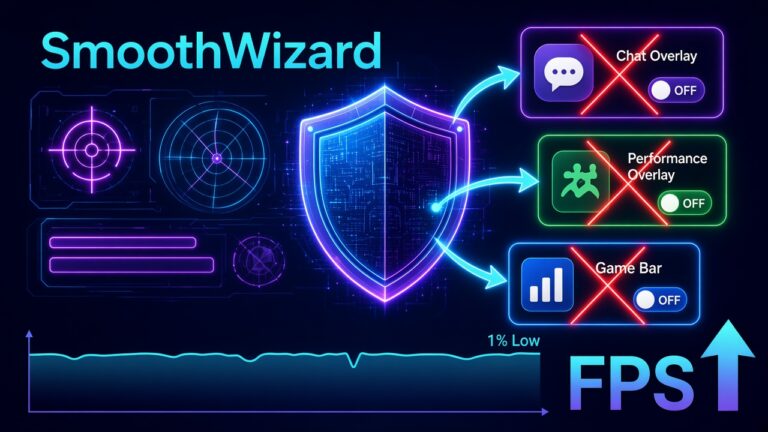

Valorant stutter from overlay and Vanguard – disable order
21 October 2026 · Windows 10/11 x64
You jump into Deathmatch to warm up before ranked, and after a few rounds something feels off. Not a drop in average FPS, but small hitches when you fire, swap weapons, or get a friend’s notification. First thought: “I need a stronger booster”. Usually that is not it.
In Valorant, micro-stutter most often comes from overlays hooking into the game, or from tools that Vanguard treats with suspicion. The anti-cheat works low in the system and does not like several programs poking at the game process at once. So the fix is not adding something new, it is switching things off one by one.
Below is an order to tick through before warm-up, the reason behind it, and an honest boundary of what SmoothWizard does. No lab FPS numbers from the internet.
Download SmoothWizard · Discord overlay · Xbox Game Bar
Why overlays hit Valorant in particular
The game is light and very fast, so every extra background event is noticeable. An overlay draws its own layer on top of the image, captures input, or queries the game for state. Each such operation is a small delay. One is invisible, but when four run together (chat app, GPU driver, Xbox bar, and Steam) you get an uneven frame rhythm.
Disable in this order
- Discord: User Settings → Game Overlay → turn it off entirely or only for Valorant.
- NVIDIA App or GeForce Experience: turn In-Game Overlay off. On AMD, turn Radeon Overlay off.
- Xbox Game Bar and captures: Settings → Gaming.
- Steam Overlay, if the Steam client runs alongside.
- Leave Vanguard alone. It is an anti-cheat, so you do not disable it for ranked. If Vanguard complains about a tool, uninstall the suspicious injector or the second booster.
Where to turn each off – cheat sheet
| Overlay | Where you disable it | Note |
|---|---|---|
| Discord | User settings, Game Overlay | You can also keep it globally and turn it off only for the game. |
| NVIDIA | NVIDIA App, overlay settings | Capture hotkeys can stay active as well. |
| AMD | Adrenalin, overlay settings | Check background recording separately. |
| Xbox Game Bar | Windows Settings, Gaming | Often comes back enabled after a big update. |
| Steam | Game properties or client settings | Mostly matters when the client is running. |
Why you do not touch Vanguard
The temptation is real: if the anti-cheat sits deep in the system, maybe you can “lighten” it. That is a dead end. Vanguard is the entry condition for ranked play, and trying to work around it ends in errors or a block. The real work is removing things that clash with it: extra boosters, unknown capture tools, and programs that inject into processes. On Windows 11, also make sure the UEFI settings the game requires are correct.
One more thing people forget: a restart. After changing overlays, close the game, the Riot client, and Vanguard by restarting the PC, not just by closing a window.
Then Windows and SmoothWizard
When overlays are off and hitches remain, move on to the system. Clear the shader cache after a patch, keep a single booster, and check the power plan. In Basic, SmoothWizard sets the power plan and gives you a cockpit with cache cleanup. In PRO you can pause selected processes on fullscreen. SmoothWizard does not inject any overlay into Valorant, so it does not add to the problem described here.
How to confirm it helped
Play the same warm-up twice: once with overlays and once without. Note the 1% lows, not only the average, because hitches show up there. If the difference is clear, keep overlays off. If there is none, bring back chat or capture only when you truly need them.
What else can be to blame when hitches stay
Visual hitches are not the same as ping spikes. If the image is smooth while players teleport, the problem is the network, not an overlay. Also check temperatures and the power mode, because an overheated laptop lowers clocks mid-match. Finally, look at the GPU driver: after a big Windows update it is sometimes worth installing a fresh package from the vendor instead of keeping the one from Windows Update.
FAQ
Click a question to expand the answer.
Is it OK to disable Vanguard for FPS?
Not for ranked. You are fighting overlays and needless boosters, not the anti-cheat.
Is this the same as the CS2 overlay guide?
Similar logic, different anti-cheat. Here you watch Vanguard and make sure nothing extra injects into the game.
Could SmoothWizard upset Vanguard?
The tool does not inject into the game or modify its files. If Vanguard reports a conflict with any program, remove it and check whether the issue goes away.
Is turning off the Discord overlay enough?
It is often the biggest culprit, but not the only one. Check the GPU driver overlay and Xbox Game Bar too.
How often should I repeat this order?
After a big Windows or driver update, because overlays like to come back enabled.
