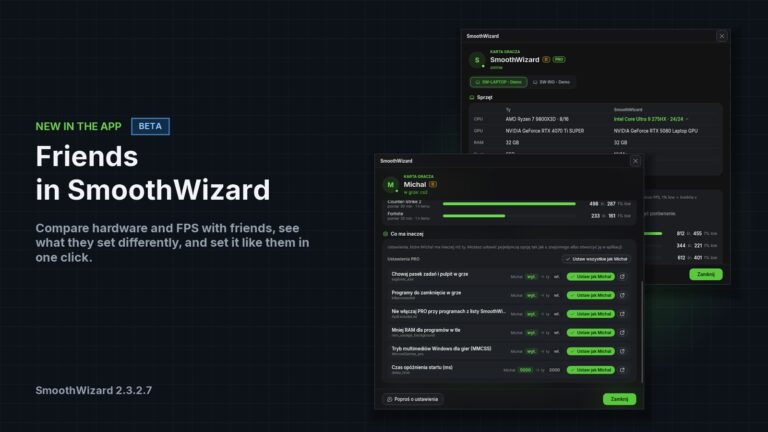

Friends in SmoothWizard: player card, FPS and “set like friend”
November 5, 2026 · SmoothWizard 2.3.2.7 · Windows 10/11 x64 · BETA
Until now SmoothWizard optimized one PC and nothing more. Version 2.3.2.7 adds a Friends tab to the app. You add a friend by code, link or nick and see their player card: their hardware next to yours, FPS from their measurements and a list of settings they have set differently than you. You can set each of them on your PC in one click.
Friends are in BETA. They work in the app and in your account on pay.smoothwizard.com. A free SmoothWizard account is required.
Download SmoothWizard · Friends in your account
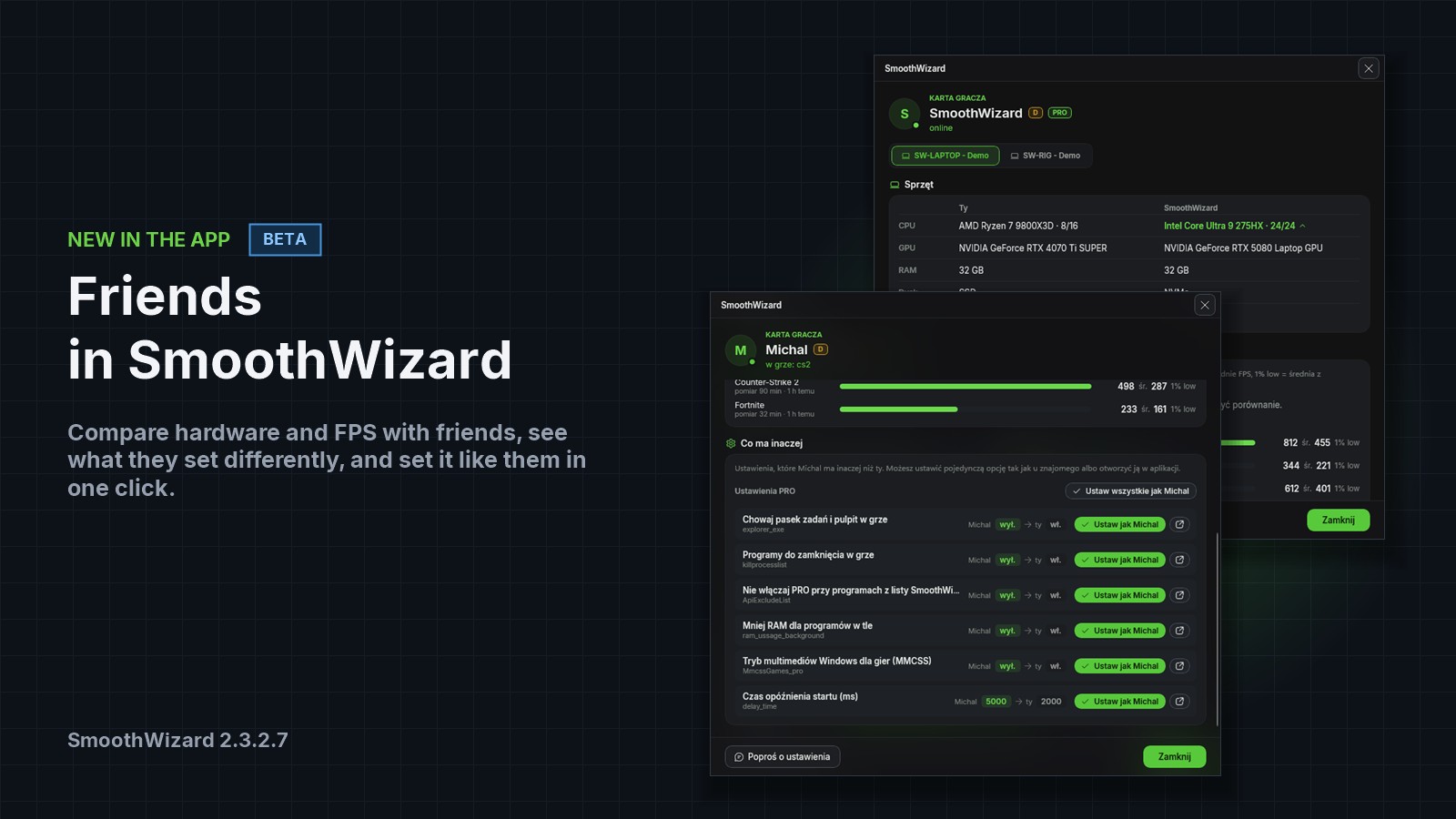
Player card
The card shows your friend’s hardware next to yours: CPU with cores and threads, GPU, RAM, disk and the monitor with the highest refresh rate. The better value is highlighted. If a friend has several PCs, for example a desktop and a laptop, each one has its own tab.
FPS on the card come from measurements in the FPS tab, from the last measured session in each game. Nothing is estimated. Each game shows how long the session was and how long ago it was measured. The average tells you how the game runs most of the time. 1% low is the average of the slowest 1% of frames, which is how the dips feel. The closer it is to the average, the smoother. When you both measured the same game, you stand next to each other on one bar.
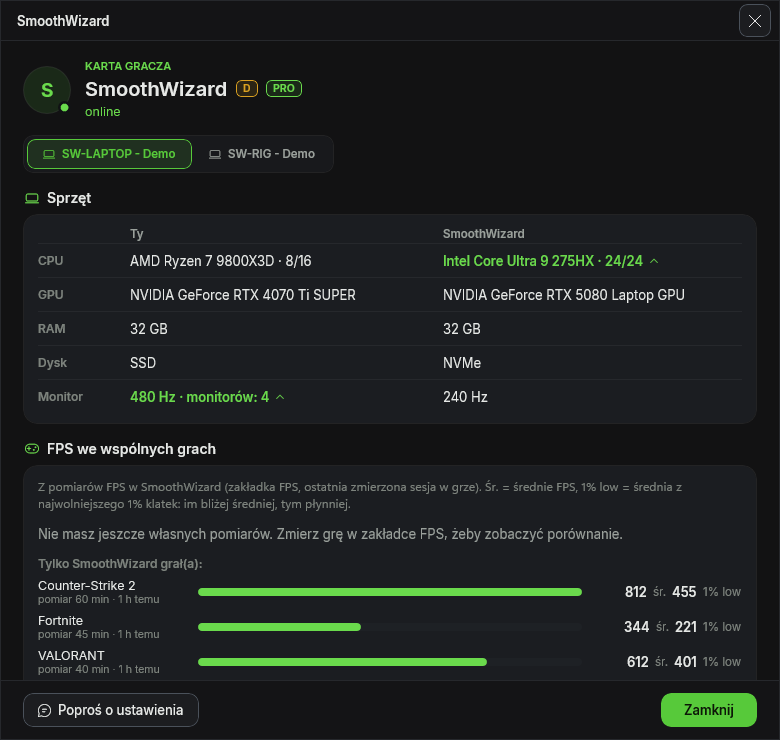
What they have different and “set like friend”
The most interesting part of the card is the list of optimization settings your friend has set differently than you. Each option has the same name as in the app, with your friend’s value and yours. Next to each one there are two buttons. “Set like…” changes only that one option on your PC. “Show” opens the page in the app and highlights the option, so you can look at it first.
Only single Basic and PRO settings change. Process lists, profiles, paths, login and password are never copied this way. The change takes effect the next time optimization starts. The full list of differences is in PRO. On the free plan you see how many settings differ from yours.
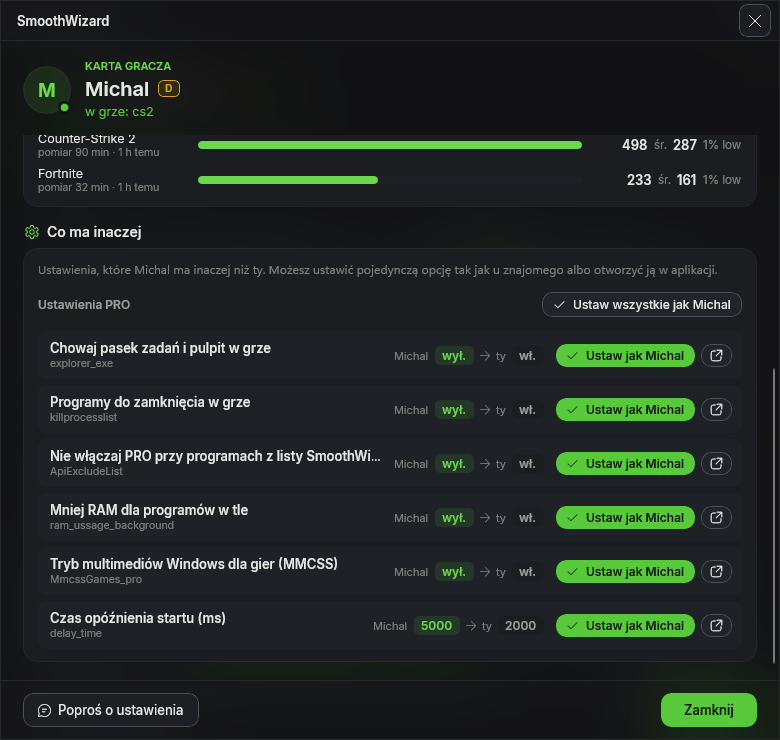
Sharing and requests
You can send a friend your current crosshair or one of your saved ones, your settings or a PRO profile. You can also ask for their settings. A request waits on the list until they send their settings or decline it. Closing the window does not delete it.
Nothing changes by itself. With settings you choose which sections to apply, just like an import. With a PRO profile you first see what is set inside, next to your own values, and only then add it as a new profile. Your profiles stay as they are.
| Free account | PRO and trial | |
|---|---|---|
| Friends, invites, status | Yes | Yes |
| Player card (hardware and FPS) | Yes | Yes |
| What they have different | Number of differences | Full list, “Set like…” and “Show” |
| Sending settings and requests | Yes | Yes |
| Crosshairs and PRO profiles | Greyed out | Yes |
Notifications and your account on the web
There is a bell at the top of the app with notifications: invites, new friends, shares, payments, renewals and the end of PRO. A click takes you to the right place and highlights it. You can remove a notification or clear them all at once.
The same bell and Friends tab are in your account on pay.smoothwizard.com. On the website you can accept an invite, see a player card and decline a share. The “Open in the app” button switches SmoothWizard to the right tab, and starts the app if it is closed.
Privacy
You decide what friends see: your hardware, FPS, the game you are playing right now and your settings for the comparison. You can also turn off search by nick and new friend invites. Friends see your nick, not your login or e-mail.
Nothing is measured in the background and nothing slows the game down. Hardware is read once. FPS come from sessions you measured yourself. Game status is a light check about once a minute, less often during a game and without sending your card. Login, password, HWID and PIN are never sent to friends.
How to start
- Update SmoothWizard to 2.3.2.7 and log in to the app.
- Open the Friends tab and pick a nick. You can change it once every 30 days.
- Copy your code or invite link and send it to a friend. You can also add someone by their code.
- Once they accept, click “Card” to see their hardware, FPS and what they have set differently.
- To compare FPS, measure the same game in the FPS tab.
Also in 2.3.2.7
The PRO wizard first checks your PC: background load, RAM, power plan, XMP, GPU driver, HAGS, Game Mode, disk, battery and anti-cheat. Only then does it pick settings. The support chat sees which page of the app you are on and can point you to the right option. There is also a local MCP server in BETA, off by default. It lets AI tools read the app state and change an option after you confirm it. App pages are simpler, with advanced sections folded.
FAQ
Do Friends cost anything?
No. Friends, the player card and sending settings work on a free account. The full list of differences, “Set like…”, crosshairs and PRO profiles are in PRO and in the trial.
Where do the FPS on the card come from?
From measurements in the FPS tab, from the last measured session in each game. If someone has not measured anything, the card says so and does not guess.
Can “set like friend” change something without my consent?
No. It only changes the option you click. Process lists, profiles, login and password are never copied.
Can a friend see my password or HWID?
No. Login, password, HWID and PIN are not sent. Friends see your nick and only the parts of the card you leave on.
Does it slow my PC down during a game?
No. During a game the app only sends a short status about every 2.5 minutes and does not send your card.