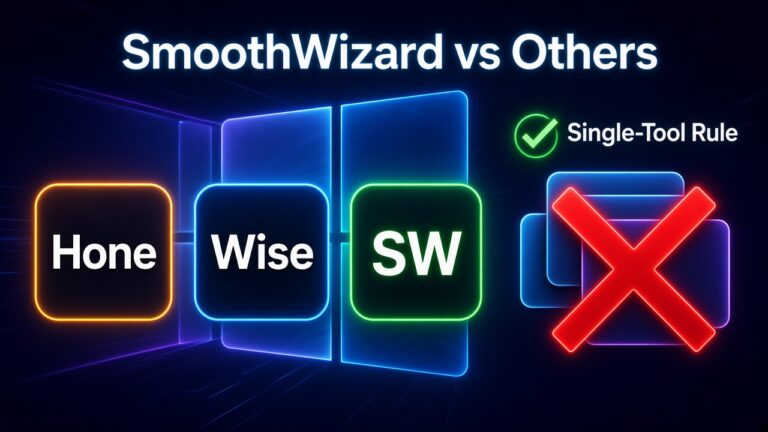

Hone and Wise Game Booster vs SmoothWizard – what they do
29 October 2026 · Windows 10/11 x64
You type “fps booster” into Google and get a mix of names: Hone, Wise Game Booster, Cortex, SmoothWizard, and several more. They all look alike, they all promise a calmer Windows during play, and the comments are wildly split. It is easy to assume they are one-to-one replacements and pick by icon color.
In practice these programs have different scope. Some focus on cleanup and a session mode, others on tweaks, and others on a system cockpit and per-game configs. So the question “which is better” often makes no sense, and the useful one is: “what exactly do I want to change, and is another tool on my PC already doing it”.
Below is the scope of each in fair terms, a hint on when to pick which, and the one-background-tool rule. No lab FPS ranking and no hate toward other brands. Check details about other programs on their official sites, because features change with versions.
Cortex vs SmoothWizard · Download · Pro
Quick frames
| Tool | Scope in short | For whom |
|---|---|---|
| Wise Game Booster | A classic cleaner and session booster from the Wise ecosystem. Simple start, cleanup, game mode. | Someone who wants a quick cleanup and stays with Wise tools. |
| Hone | Tuning and tweaks for games, depending on version and account. A different shelf than a Windows cockpit. | Someone who knows what they click and wants a Hone-branded solution. |
| SmoothWizard | Free: power plan, cockpit (cache, DNS, repair), phone over LAN. Pro: pause on fullscreen, cores, game configs, BIOS read and UEFI reboot, themes. | Someone who wants a Windows gaming session, cockpit, and configs in one place. |
Why they are not 1:1 replacements
Each tool picks a different set of things to change. A cleaner deletes temporary files and closes processes. A tweak program rewrites system settings. A cockpit shows the state of the PC and gives buttons for specific repairs. The overlap is partial, so swapping one for another also changes what happens to your Windows, not only the look of the program window.
When to pick which
- If you want a quick cleaner and stay in the Wise ecosystem, pick Wise and do not add a second tool for the same jobs.
- If you want Hone-branded tuning and understand what each option changes, use Hone without an extra booster next to it.
- If you want a Windows gaming session, a cockpit, a phone link, and game configs, consider SmoothWizard.
- Do not run Hone, Wise, and SmoothWizard together just in case. That is not insurance, it is conflict risk.
Why one tool is the rule
Optimizers touch the same places: services, power plan, background processes, sometimes the registry. When two programs try to set the same thing in different ways, the final state depends on launch order and is hard to predict. On top of that, if a game hitches, you cannot tell which of them is the cause. One tool gives you a clear reference point and a way to undo changes.
How to check on your own PC
- Pick one repeatable scene and record average FPS and 1% lows with no tool at all.
- Run only one tool and repeat the measurement under the same conditions with the same overlays.
- If nothing changes, that happens on some PCs. Then keep the shader and overlay checklist and uninstall what you do not need.
- If you want to compare two tools, do it separately: remove the first, restart the PC, and only then test the second.
Safety and where you download from
Every optimizer interferes with Windows, so download it only from the vendor site, not from mirrors and repacks. Before bigger changes, create a restore point. That is a simple rule that applies whether you choose Wise, Hone, SmoothWizard, or something else. SmoothWizard has a free Basic tier, and PRO is available through pay.smoothwizard.com with a seven-day trial. You get the installer from the download page.
FAQ
Click a question to expand the answer.
Does SmoothWizard replace Hone?
It does not have to. The scope is different, so pick one tool that fits your workflow.
Is it safe?
Download from official sites. Every optimizer touches Windows, and a conflict between two breaks games.
Can I use Wise for cleanup and SmoothWizard for games?
Better not to run them at the same time. If you want both, pick one for the session and run the other manually, only when the game is closed.
Which gives more FPS?
We promise that neither for ourselves nor for others. Check with your own measurement on one scene.
Is one match enough for a comparison?
No. Repeat the same scene several times, because a single result is easily skewed by a small background event.